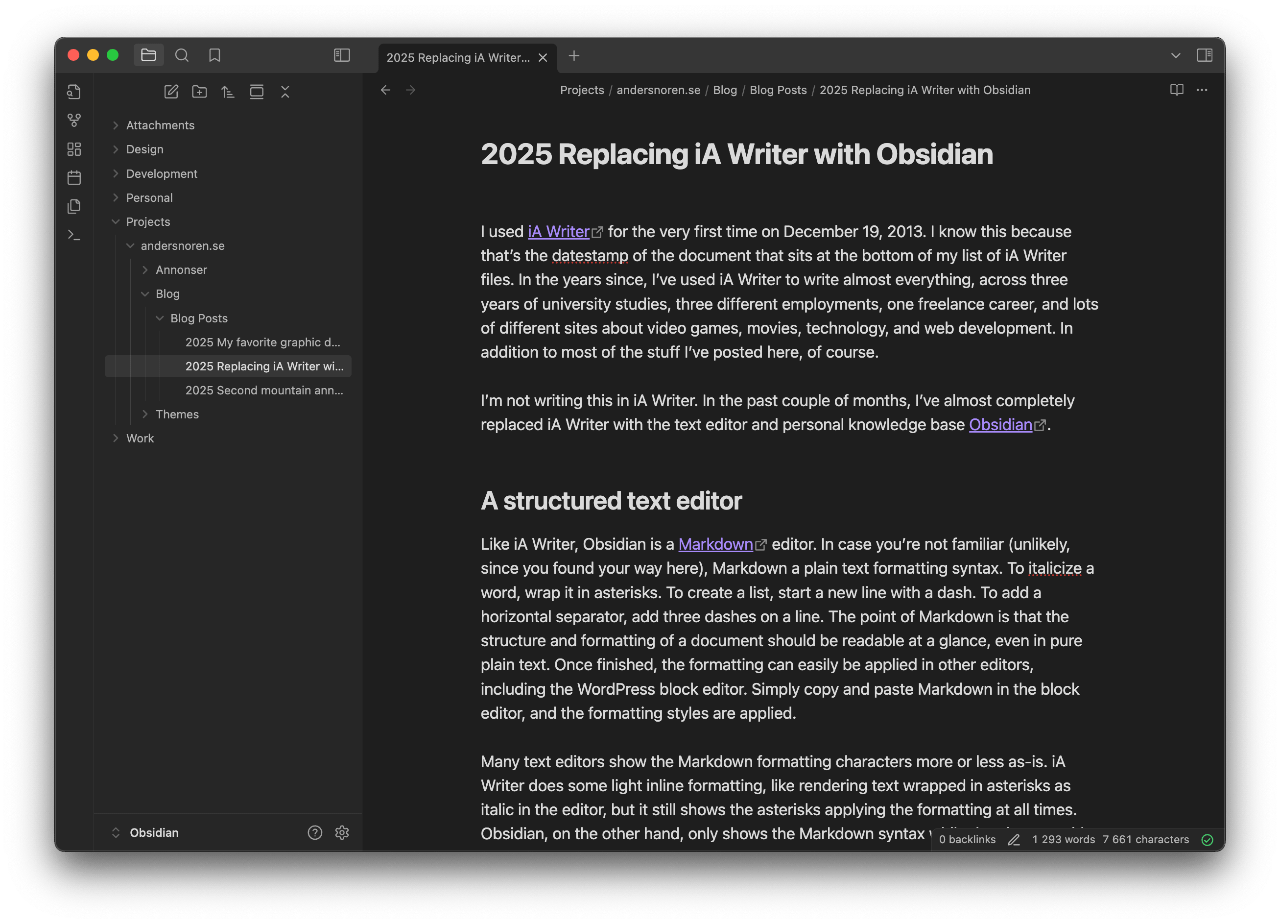
Obsidian is one of those rare apps that I like so much that I ended up writing a whole blog post about it. Another year has passed since then, and Obsidian is still the app I open when I sit down to write anything more substantial than a temorary note to self. The most recent example is this new gear section on the site, which begun its life as a new folder in my Obsidian library, with one file for every article.
Obsidian is really just a text editor when it comes down to it, but I think of it more as my personal knowledge base. That’s because all of the text files in your Obsidian library are arranged in folders, accessible through the left sidebar while you’re using the desktop app. Developers used to Visual Studio Code or any other modern code editor will feel right at home. Since text files are arranged hierarchically and alphabetically rather than chronologically, it’s up to the user to create a structure that fits his or her needs. For me, the top level folders are:
- Design
- Development
- Personal
- Projects (where this document is located at /andersnoren.se/Gear/Articles/Obsidian)
- Work
With each containing as many sub folders as needed for me to keep everything neat and tidy. Documents are written and rendered in Markdown, which gives you enough formatting options to keep everything structured, but not so much that you spend more time formatting your text than writing it. The complaints I had about the default typography in Obsidian in my blog post still stand, but it’s still a great app for keeping your digital life in order.


