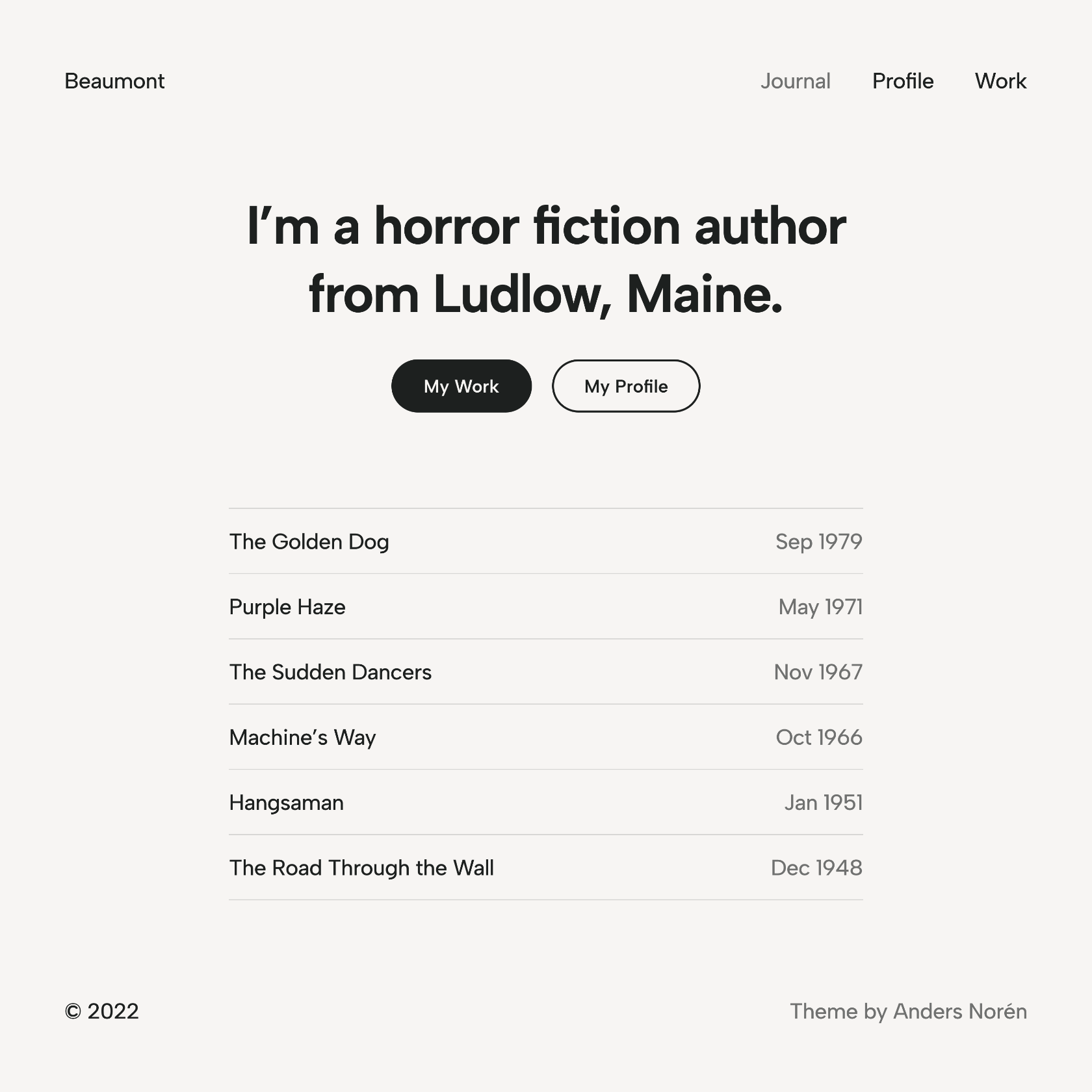
The star of the show in Beaumont is the typography, which is carefully tuned to make it comfortable to read longform content.
Full site editing
Beaumont is a block theme, allowing you to change the structure of the header, footer, and other parts of the theme in the site editor.
Global styles
You can modify the typography, colors and spacing in the styles panel in the site editor. Prefer a serif typeface or a more colorful theme style? Tweak it to your hearts content.
Style variations
Beaumont includes ten unique prebuilt theme styles that you can switch between in the Styles panel. Use them as they are or as a starting point for your own unique design.
Block patterns
The theme also includes 10+ block patterns geared towards editorial design, and seven different layouts for the blog post archive.
Slim and fast
Beaumont includes 12 K of CSS and no JavaScript. Locally hosted variable font files keep external requests and file sizes to a minimum.
♥
You can support the development of my themes by sponsoring me on Ko-fi,GitHub, or PayPal. Thank you!
Yes. Beaumont is free and open source, released under the GPL 2.0 license like WordPress itself. You can download it from WordPress.org, or install it from your WordPress dashboard: go to Appearance → Themes → Add New Theme and search for “Beaumont”.
Can I use Beaumont on a commercial or client site?
Yes. The GPL 2.0 license lets you use Beaumont on any site – personal, commercial or for a client – and modify it however you want. If you distribute a modified version, it has to be released under the GPL as well.
Can I use Beaumont with the Site Editor?
Yes. Beaumont is a block theme, so you can edit its templates, header, footer and styles in the Site Editor, under Appearance → Editor.
What does Beaumont require?
Beaumont requires WordPress 6.1 or later, and PHP 5.6 or later. That said, I recommend always running the latest versions of both WordPress and PHP.
Is Beaumont available in my language?
Beaumont is translated into 7 languages, including Spanish, Russian and German (see the full list). If your site is set to one of them, WordPress downloads the translation automatically when you install the theme. If your language is missing, or the translation is incomplete, you can help translate Beaumont on translate.wordpress.org.
Is Beaumont still maintained?
Yes. Beaumont gets updates with security and bug fixes, but generally not support for new features. The latest version, 1.0.0, was released on . If you’d like a feature added, you can ask for it in the support forum, or preferably by opening an issue in the GitHub repository.
How do I remove “Theme by Anders Norén” from the footer in Beaumont?
Beaumont is a block theme, so you can edit or remove the credit by editing the footer in the Site Editor. If you do remove it, I’d appreciate it if you consider sending a small donation my way.
How do I customize Beaumont without losing my changes when it’s updated?
Changes you make in the Site Editor are saved in the database, so they’re kept when Beaumont is updated. If you want to edit the theme files, create a child theme of Beaumont first, or your changes will be overwritten by the next update. I’ve written a tutorial on how to create a child theme of a block theme.
Where can I get support for Beaumont?
Post your question in the Beaumont support forum on WordPress.org. There’s a decent chance it has already been asked and answered. Found a bug, or want to contribute? Open an issue or a pull request in the GitHub repository.