Baskerville

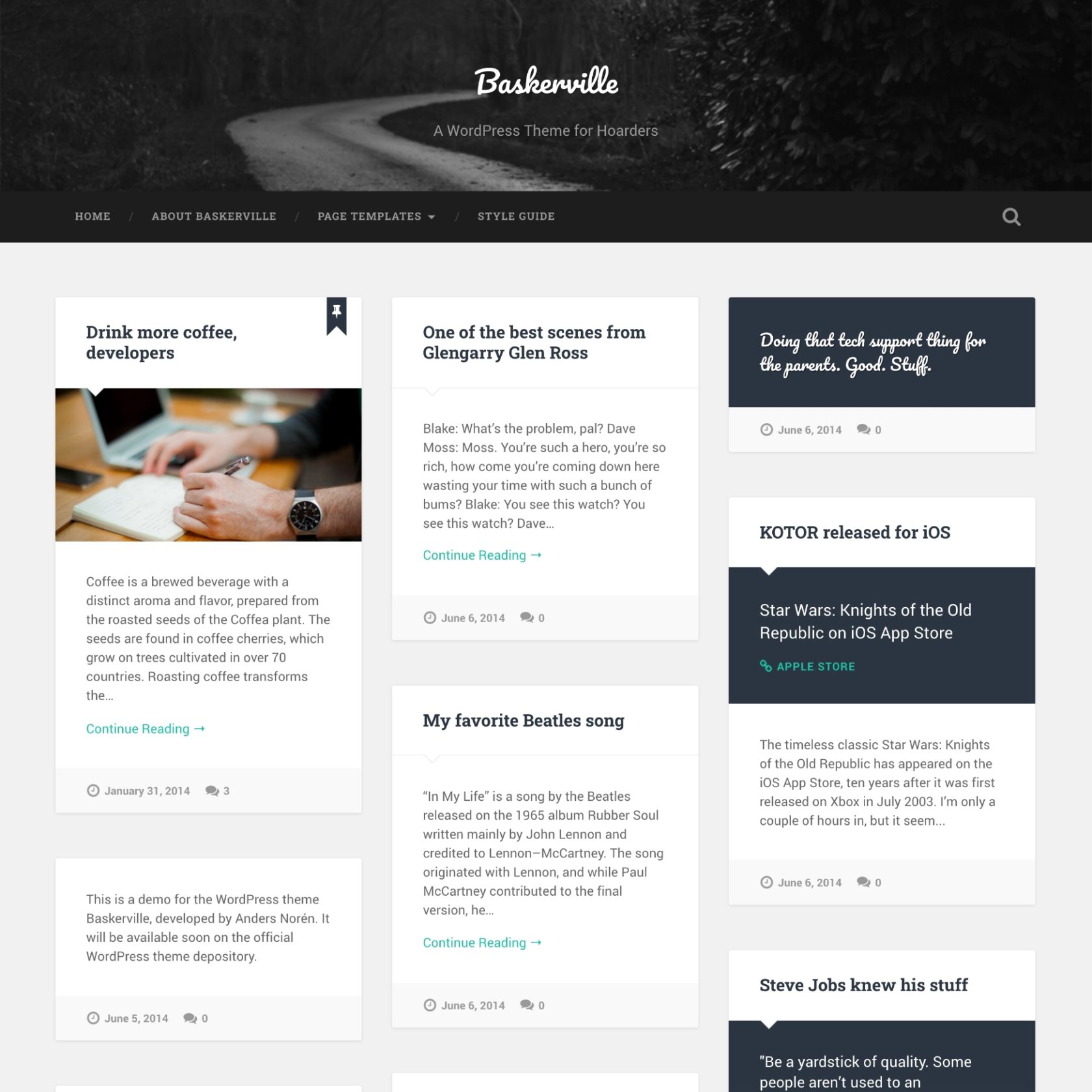
Baskerville is a beautiful, responsive and retina-ready free masonry theme for hoarders.

The free Baskerville WordPress theme.

A theme for hoarders

Baskerville displays all your posts in a beautiful grid using the Masonry layout library. It’s perfect for a content-heavy personal blog or a magazine style website.

Contributors template

Baskerville includes a contributor page template, so you can start showcasing your contributors with avatars, descriptions and social links with the click of a button.

Post format support

Baskerville supports all nine post formats. Give your media the presentation it deserves with the gallery slideshow, audio player and video player, or showcase your favorite links and quotes with the custom content areas.

Customization options

You can put your own spin on Baskerville by uploading a custom header image or changing the widgets in the two widget areas. Three custom widgets are included in the theme – one for Flickr, one for video and one for Dribbble.

Responsive & retina ready

As any self-respecting theme released in 2014 should, Baskerville scales gracefully to whatever device it’s being viewed on. It looks as good on a 27″ Apple Thunderbolt Display as on a 4″ iPhone.

Gutenberg support

Baskerville includes editor styles and block styles for the new Gutenberg editor, as well as full support for the Classic Editor.

You can support the development of my themes by sponsoring me on Ko-fi, GitHub, or PayPal. Thank you!

2.3.2

WordPress 7.1 Latest

Jul 11, 2014

464,777

Frequently Asked Questions

Is Baskerville free?

Yes. Baskerville is free and open source, released under the GPL 2.0 license like WordPress itself. You can download it from WordPress.org, or install it from your WordPress dashboard: go to Appearance → Themes → Add New Theme and search for “Baskerville”.

Can I use Baskerville on a commercial or client site?

Yes. The GPL 2.0 license lets you use Baskerville on any site – personal, commercial or for a client – and modify it however you want. If you distribute a modified version, it has to be released under the GPL as well.

Can I use Baskerville with the Site Editor?

No. Baskerville is a classic theme. It supports the block editor for posts and pages, but not the Site Editor. If you want to edit your whole site with blocks, try one of my block themes, like Spiekermann.

What does Baskerville require?

Baskerville requires WordPress 4.5 or later, and PHP 5.4 or later. That said, I recommend always running the latest versions of both WordPress and PHP.

Is Baskerville still maintained?

Yes. Baskerville gets updates with security and bug fixes, but generally not support for new features. The latest version, 2.3.2, was released on . If you’d like a feature added, you can ask for it in the support forum, or preferably by opening an issue in the GitHub repository.

Is Baskerville available on WordPress.com?

Yes. Automattic maintains a WordPress.com version of Baskerville, based on the original design. It mostly looks and works the same, but there are some differences in features.

How do I remove “Theme by Anders Norén” from the footer in Baskerville?

You can hide it with custom CSS, or remove it from the footer template in a child theme. If you do remove it, I’d appreciate it if you consider sending a small donation my way.

Where can I get support for Baskerville?

Post your question in the Baskerville support forum on WordPress.org. There’s a decent chance it has already been asked and answered. Found a bug, or want to contribute? Open an issue or a pull request in the GitHub repository.